

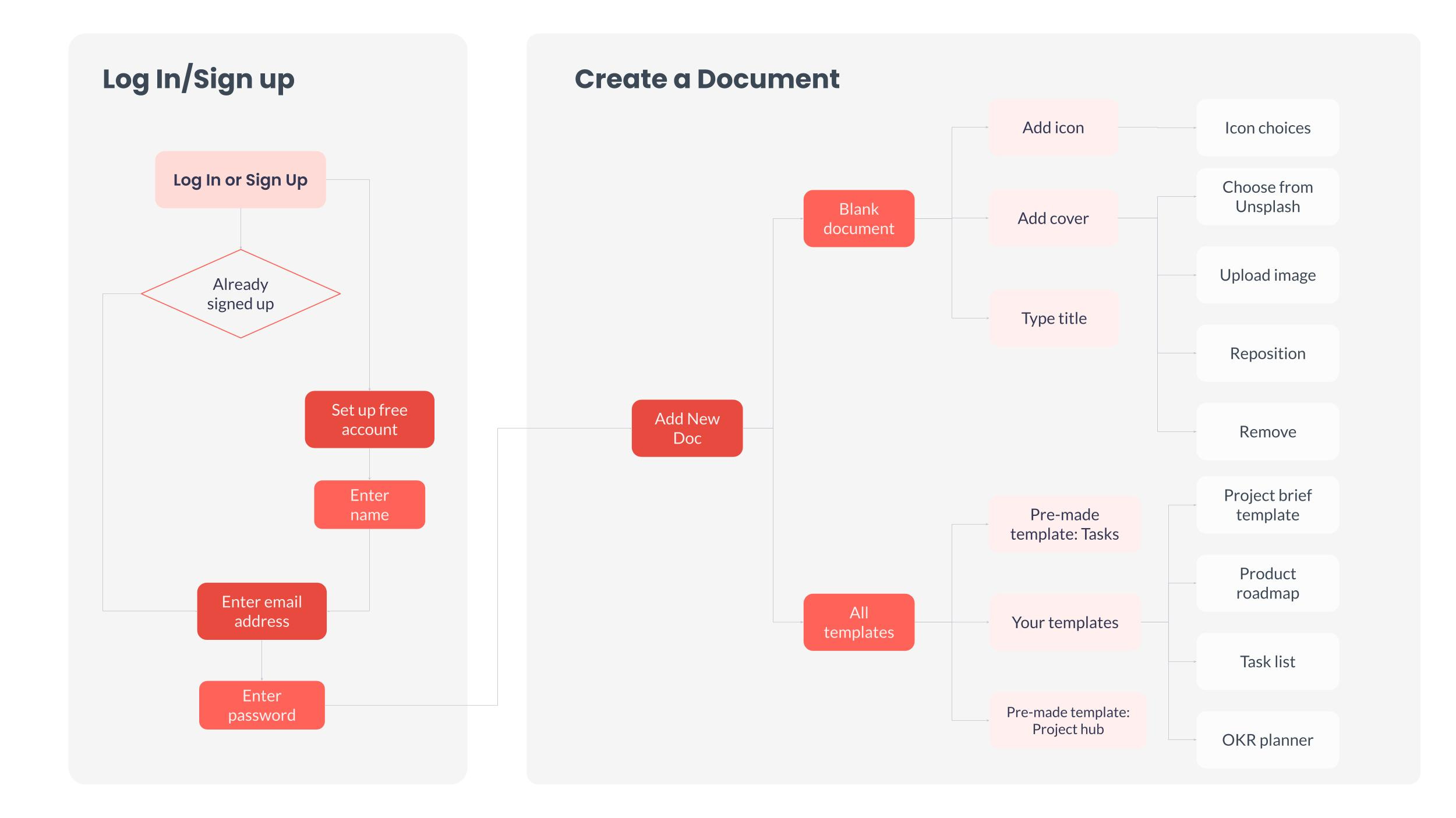
User flows are like maps that show how people move through your app or website. They trace the path users take to complete a task, from start to finish. Think of it as following someone's footsteps as they navigate your product to reach their goal.
Traditional user flows help us understand and improve how users experience our products. They show entry points (where users start), decisions they make, actions they take, and their final goals.
Why AI Products Need Different User Flows
When you're building products powered by AI, especially those using large language models (LLMs), you need to think about more than just user clicks and taps. You also need to map out:
What data goes into your AI model
What content the AI creates
How your product handles AI mistakes
For AI-powered products, pay special attention to data inputs, prompts, and failing gracefully.
How to Create AI User Flows: 4 Simple Steps
Step 1: Find Your Starting Points
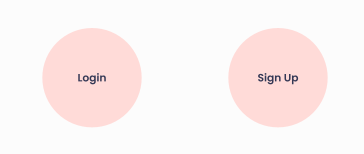
Just like any user flow, start by identifying where users first interact with your product. This could be:
Login page
Home page
Sign-up page
Any landing page
Use circles to represent these entry points in your diagram.
Step 2: Map Every User Interaction
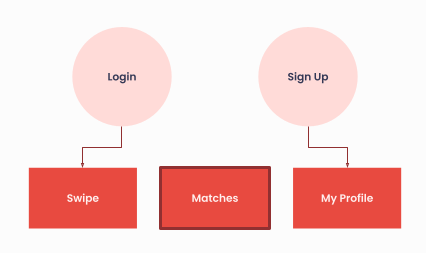
From each starting point, draw out all the possible actions users can take. Cover every step of their journey, including both successful paths and potential problems.
Use rectangles to represent each action users can take.
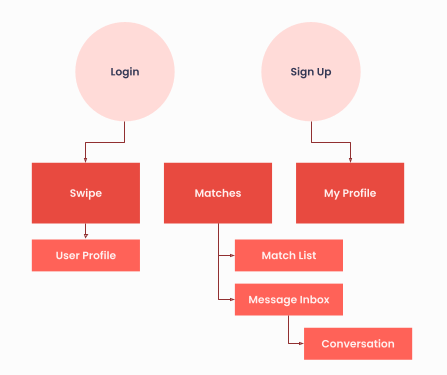
Break down complex actions into smaller steps. For example, if you're mapping a dating app like Tinder, under "Swipe" you might include:
View user profile
Make swipe decision
See match result
Step 3: Mark Your AI Data Points
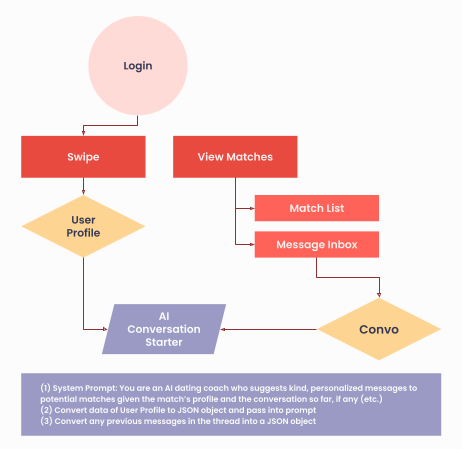
Here's where AI user flows get different from traditional ones. For every AI feature, you need to show:
Data Going In:
What information does your AI need?
Where does this data come from?
What are your system prompts?
Content Coming Out:
What will the AI generate?
How will users interact with AI-generated content?
Use diamonds to show where data enters your AI model, and add notes explaining what data you're using and why.
For example, an AI conversation starter for a dating app might need:
User's profile information
Previous chat messages
Context about the match
Step 4: Plan for Success and Failure
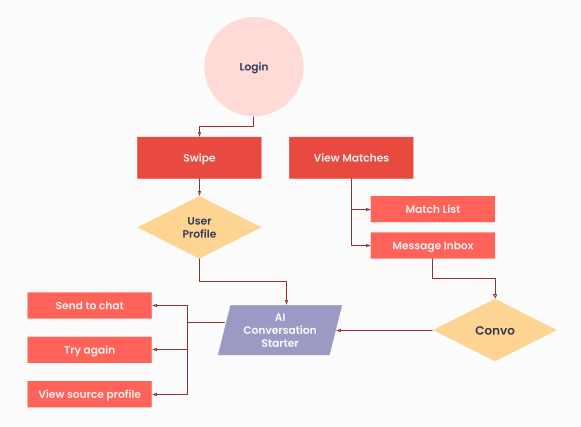
For every piece of AI-generated content, show what happens when things go right AND when they go wrong. This includes:
Success States:
Content works as expected
User can use the generated content
System provides value
Failure States:
AI generates poor content
User wants to try again
System fails gracefully with helpful alternatives
Use parallelograms to represent AI-generated content and include options for both success and failure scenarios.
Real Example: Meeting Notes AI
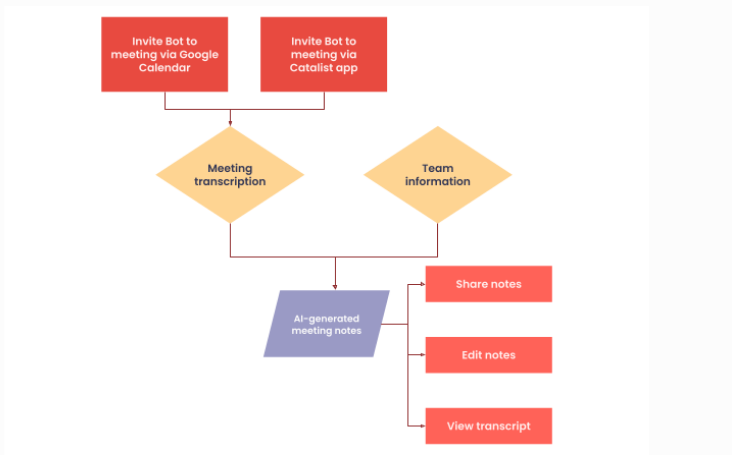
Let's look at a practical example from CatalistAI, a project management tool with AI meeting notes:
The Process:
User invites AI bot to meeting (via calendar or app)
Bot joins and transcribes the meeting
AI uses transcription + team info to generate notes
User can share, edit, or view the original transcript
Key AI Considerations:
Check Assumptions: Using team member data helps avoid mistakes like assuming someone's gender based on their name
Fail Gracefully: Users can edit notes if the AI makes errors
Trust & Verify: Users can view the original transcript to verify AI-generated content
Key Takeaways
When creating user flows for AI products:
Start with traditional user flow basics - entry points, user actions, and goals
Add AI-specific elements - data inputs, AI outputs, and system prompts
Plan for both success and failure - show what happens when AI works well and when it doesn't
Apply UX best practices - help users trust, verify, and recover from AI mistakes
Keep it visual - use different shapes to distinguish between user actions, data inputs, and AI outputs
Remember, good AI user flows don't just map the happy path. They help you build products that work well even when the AI isn't perfect, creating better experiences for your users and clearer requirements for your development team.